In this tutorial, we'll learn how to open the file properties dialog of a file or folder (directory) in Linux Mint using Nemo, Cinnamon's file manager. This method is conventional and should also work on file managers of other desktop environments such as Xfce's Thunar and KDE's Dolphin.
To open the file properties dialog, follow the following steps:
1: open Nemo and navigate to the location where the file or folder is.
2: right click on it to open its context menu.
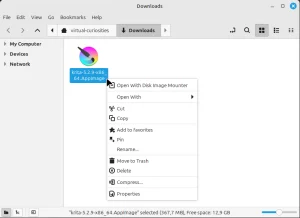
3: click on Properties. The file properties dialog will appear.
